
AV Case Study: ECU City’s Teaching & Learning Spaces
Edith Cowan University’s new, stacked city campus is a networked learning ecosystem built for flexibility, collaboration and future-proofing.

11 August 2026
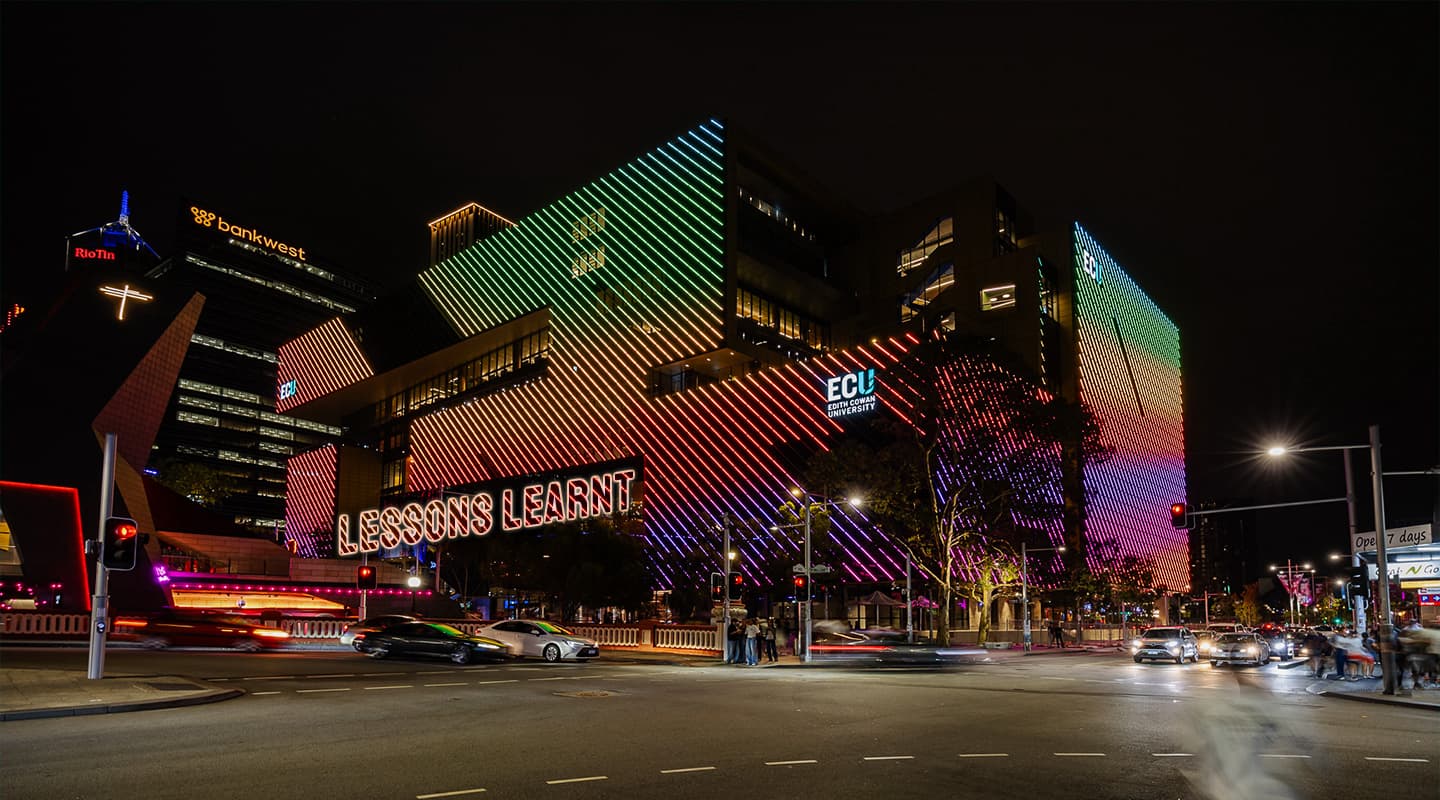
Edith Cowan University’s new city campus in Perth represents a monumental investment in modern teaching and learning, blending state-of-the-art facilities with a deliberate focus on collaborative, hybrid-capable teaching spaces. The general learning areas – flat-floor rooms with reconfigurable furniture, collaborative theatres, and varied meeting pods – are built for adaptability, where teachers can roam, untethered to a lectern, and students can huddle up in a way that best suits them.
Chris Cooper, from ECU’s Digital Services Collaboration team and embedded in the project for three years, explains the driving philosophy: “ECU wanted to make sure that if students were in the rooms, there wasn’t an online component just tacked on with the online students feeling like poor cousins. Or vice versa.”
This led to a sophisticated, networked AV infrastructure centred on Crestron control and DM NVX AV-over-IP, Q-SYS for audio and networked PTZ cameras, Sennheiser ceiling and wireless microphones, and Lightware USB-C connectivity. The result is a consistent, intuitive experience across hundreds of spaces.
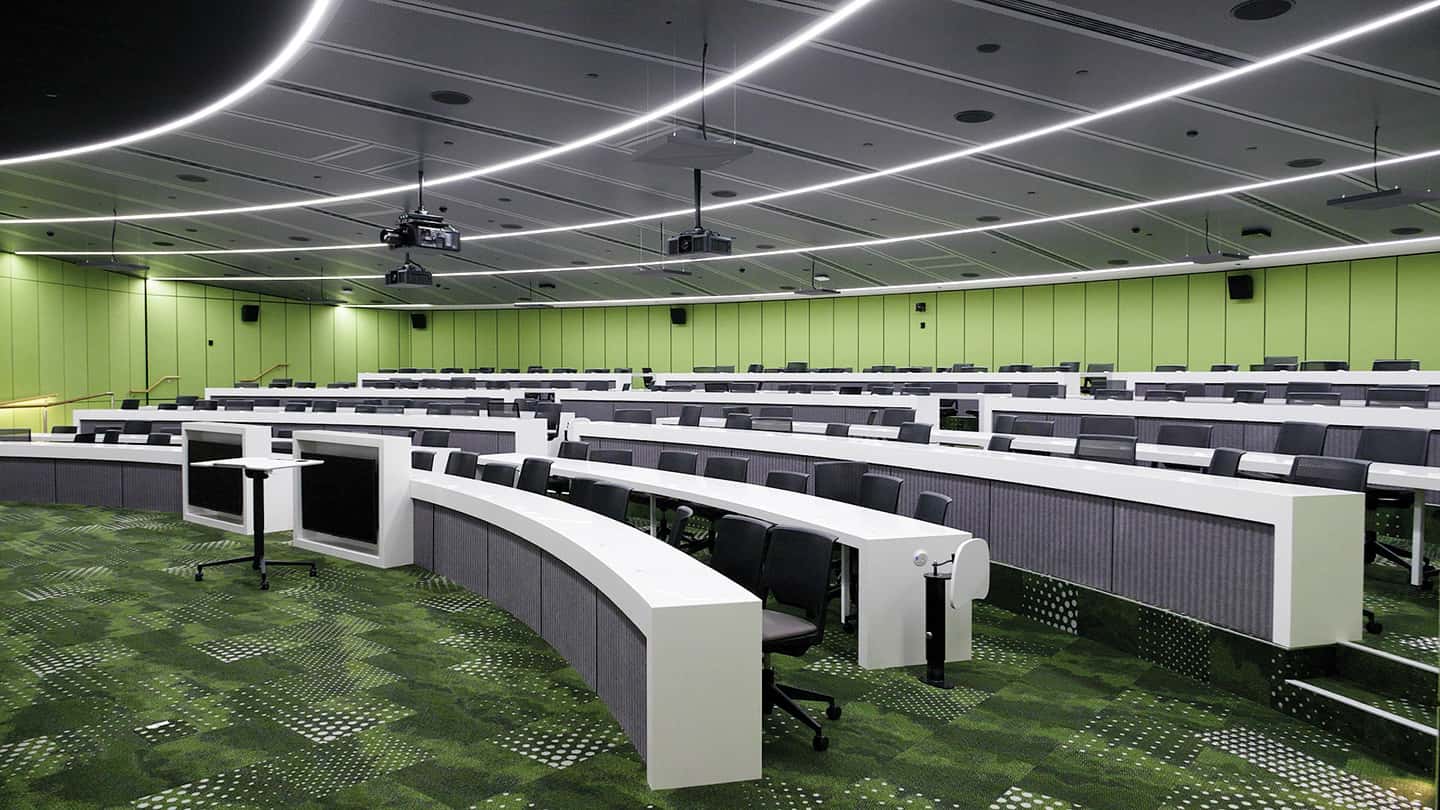
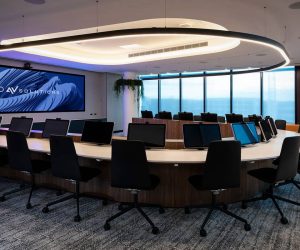
Most of the teaching spaces are small-to-medium-sized and reconfigurable. This particular space is the exception that proves the rule. Despite its size, the AV allows for collaboration and is equipped for hybrid learning. From a presentation perspective, Panasonic projectors permit either double-width or side-by-side display options. Martin Audio FOH loudspeakers and QSC cinema surrounds handle audio. Sennheiser TCC 2 ceiling mic arrays pick up conversation for the stream and mix-minus voice lift (thanks to Q-SYS DSP in the room).
PILOT-PROVEN PEDAGOGY
The design was refined through an 18-month pilot at ECU’s Joondalup campus. This iterative process revealed what worked in practice rather than theory.
Chris Cooper: “The pilot space went through multiple iterative generations. It was a highly useful proving ground.”
One early idea – requiring lecturers to deliberately choose between ‘standard lecture’ and ‘masterclass’ (hybrid) modes on start-up – was abandoned. Staff and students needed seamless access to all tools. Rooms now activate with every resource available, supporting everything from traditional delivery to group work, guest presenters, and full hybrid sessions [see box item for more detail].
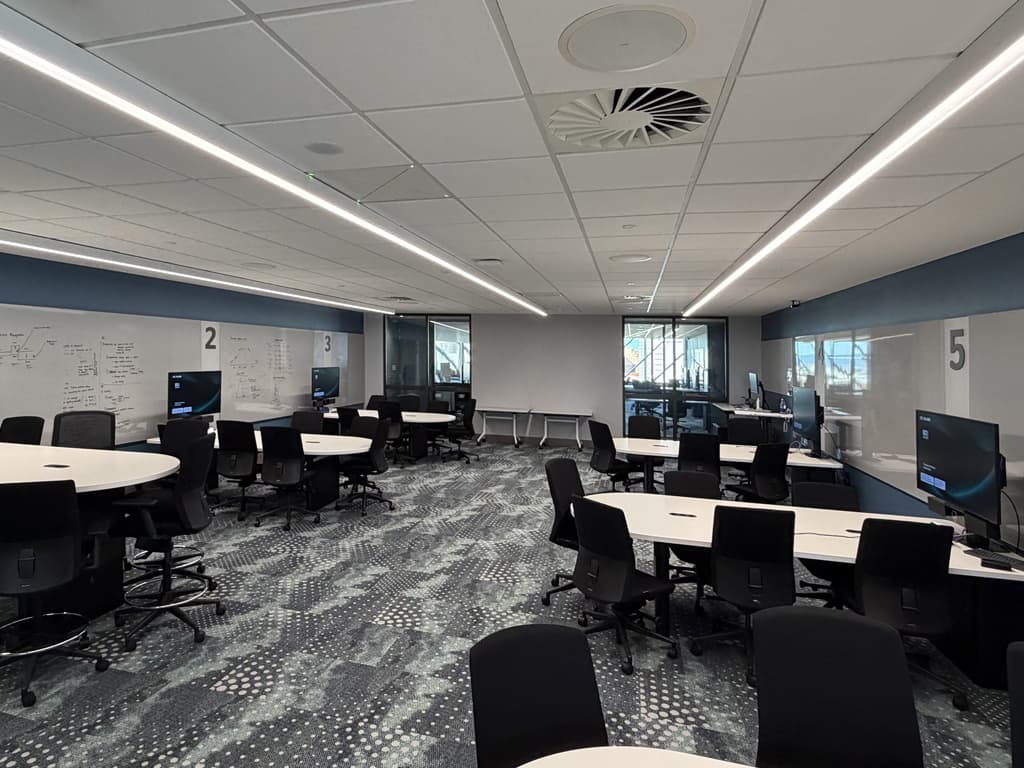
Pod-style classroom. Students use Crestron AirMedia to cast to the their local display. The lecturer uses the Crestron DM-NVX preview function to check on each pod’s progress before sharing with the rest of the room. Sennheiser TCC 2 mic arrays flexibly handle audio for the stream.
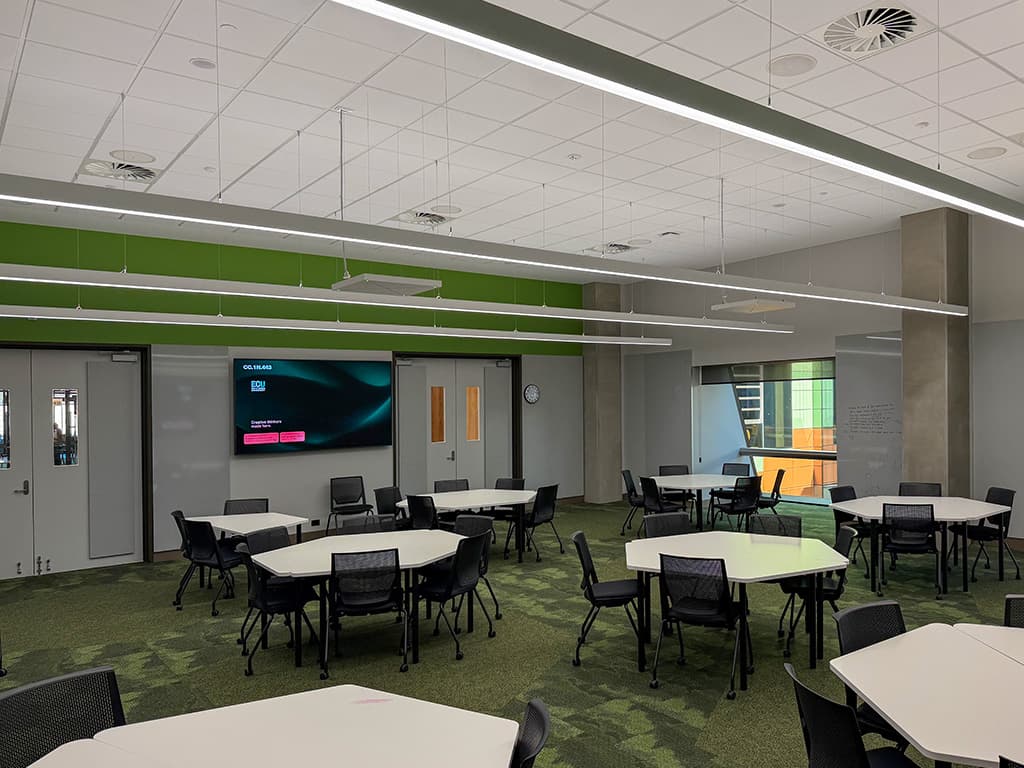
One of the reconfigurable classrooms.
CRESTRON NVX: FLEXIBLE BACKBONE
Crestron provides the primary user interface and control layer, with NVX handling video transport and scaling. This shift from earlier centralised HDBaseT/DM-frame designs to a fully networked approach delivered major benefits in scalability and future-proofing.
David Jones, co-owner of integrator Vizcom Technologies (with a 21-year relationship with ECU), notes: “NVX AV-over-IP allows us to change things more dynamically.”
Rooms follow a templated design: a core configuration that can have components optioned in or out via configuration files. The UI remains consistent from simple meeting rooms to complex collaborative theatres. This streamlined deployment across diverse spaces while maintaining familiarity for users.
Chris Cooper: “We ended up working with Vizcom to develop the solution for the most complicated room, and then it was designed such that every component could be optioned out, while the UI could remain consistent from the most complicated to the most simple room.”
NVX excels as both a transport layer and scaler. Full resolution is preserved for the 4K displays for in-room viewing, while content is appropriately scaled for Teams recordings or conferencing (typically 1080p/2K). An NVX-derived image preview on touch panels allows lecturers to discreetly check student pod activity during collaborative sessions.
Wireless sharing via Crestron AirMedia (WF models for Apple AirPlay discovery) is absolutely everywhere – even in basic meeting rooms and student collaboration pods in public areas. This supports BYOD workflows and quick group work without cables.

LIGHTWARE USB-C: ONE CABLE FOR ALL
A major evolution during the gestation of the project is full USB-C peripheral sharing for bring-your-own-device (BYOD) users. Lightware UCX-series switchers at lecterns handle source selection (PC, laptop, HDMI devices, document cameras) and expose all peripherals – touch monitors, Q-SYS cameras, echo-cancelling mics, and speakers – via a single USB-C connection.
Chris Cooper: “We’ve made all the USB peripherals available for BYOD. Previously we’ve hardwired those devices to PCs in spaces, but if you want to bring your own computer with your own software, you couldn’t use the full capability of the room.” This democratises advanced features. A lecturer (or student for assessments) plugs in one cable and gains camera, audio, touch interactivity, and content sharing, regardless of their chosen platform.
David Jones: “Lightware really gave us the right solutions to allow USB-C to be interfaced properly.”
Q-SYS: AUDIO, CAMERAS, & CERTIFICATION
Q-SYS forms the audio and camera ecosystem. DSPs (Core 8, 110F, Nano variants) handle processing, with Q-SYS cameras (NC series) integrated for automated or manually switched views. MTR (Microsoft Teams Rooms) certification ensures plug-and-play reliability with seamless camera switching invisible to Teams.
Chris Cooper: “The benefit of Q-SYS cameras is they’re MTR certified. We can have more than one Q-SYS camera and switch that as the lecturer desires without having to go wrangle with Teams controls.”
Distributed architecture places Q-SYS cores and NVX endpoints in-room (often in compact lectern racks or behind displays), eliminating single points of failure and simplifying maintenance. Everything runs on PoE where possible, backed by UPS-equipped network switches.
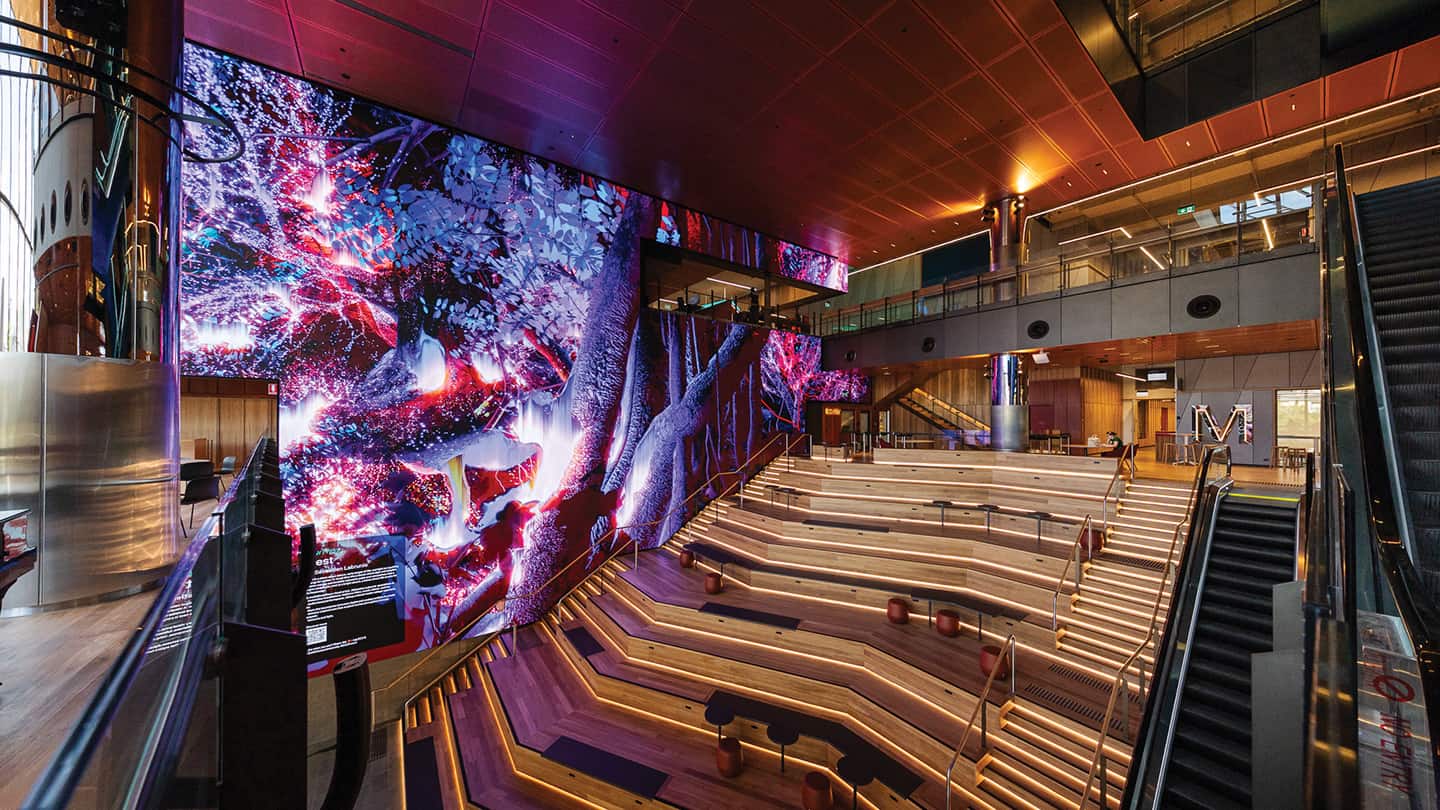
Foyer LED & Audio: The original architectural concept drawings for ECU city campus featured a dramatic, multi-storey flowing LED wall cascading like a waterfall. That ambitious idea evolved through various iterations before settling on the large-scale video wall now installed in the foyer. The huge 420sqm LED hosts an ever-changing roster of content, not least from students themselves. As for the audio, the brief was simple yet demanding: if you can see the screen, you should be able to hear it clearly. Distributed speakers cover the surrounding passageways, while the main area relies on a carefully designed Martin Audio ultra-compact O-Line array. Despite the challenging acoustics of the timber, glass and hard surfaces, the system delivers crisp, intelligible sound with impressive dynamic range throughout the space. The same Q-SYS profiling used across the rest of the campus ensures consistency, so lecturers and event hosts experience reliable audio performance whether they are teaching in a classroom or presenting in this impressive public atrium.
SENNHEISER: CEILING MICS & WIRELESS
The shift to mobile, collaborative teaching – lecturers as facilitators moving among students – demanded reliable voice pickup without lapel dependency.
Sennheiser TCC 2 and TCC M ceiling microphone arrays provide comprehensive coverage, with intuitive Sennheiser software enabling rapid tuning via visual lobe mapping. Pods or areas can be prioritised, and voice lift (mix-minus) ensures questions from anywhere are audible room-wide and captured clearly on recordings.
Chris Cooper: “The ceiling microphones were essential to ensure that staff could wander anywhere in the room and be picked up in the Teams call or a recording.”
David Jones highlights the deployment advantage: “Sennheiser’s Control Cockpit application allows you to set up pickup zones, see the lobes and do testing in the room, and it proved to be the difference – we chose TeamConnect as the preferred platform. When you have dozens and dozens of ceiling mic arrays on site, it was Control Cockpit that saved us so much time in the commissioning phase.”
Sennheiser EW-DX wireless handheld and belt-pack systems complement coverage for presenters needing mobility or higher gain. Narrow bandwidth and high channel count prevent interference in a dense campus environment near public event spaces. Low/high voice lift settings on the touch panel accommodate different speaking styles, with lecturer mics prioritised.
USER EXPERIENCE
Crestron CH5-based interfaces (with tablet support for roaming control) and consistent theming (web-served for easy branding updates) make rooms feel familiar. Automation handles routine tasks, with prompts for edge cases (eg., rejoining Teams calls without unintended content sharing). [See box item for Chris Cooper’s extended thoughts on the UI and Crestron CH5 programming code.]
AirMedia, preview functions, and pod selection drive active learning. In collaborative theatres, tiered seating with benches supports group turn-and-talk, while dual/ultra-wide screens and extensive audio channels (up to 12 in some spaces) handle presentations or cinema-like viewing.
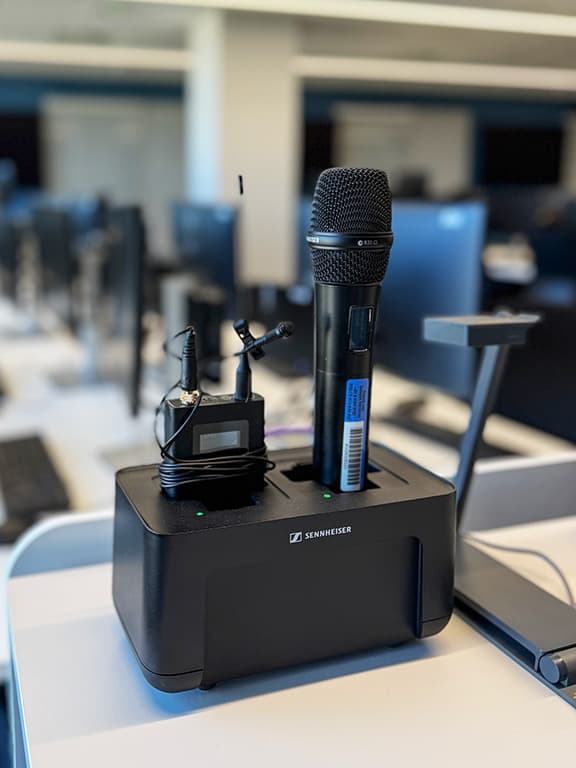
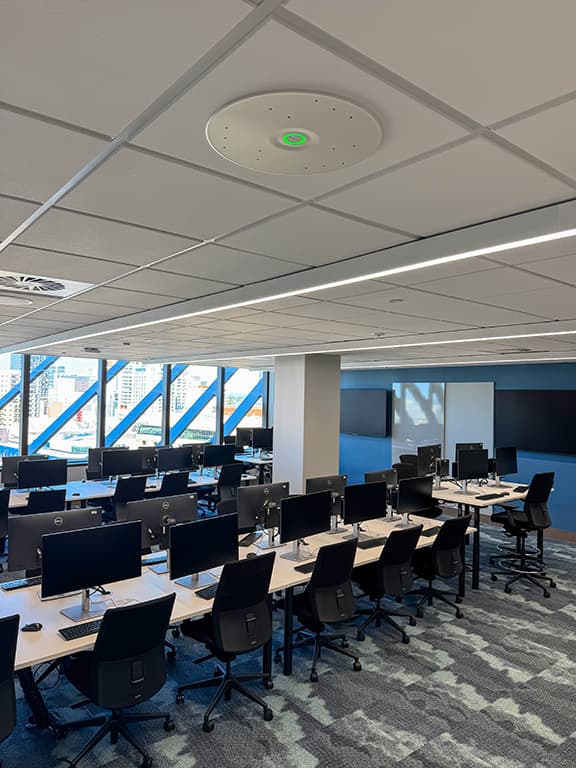
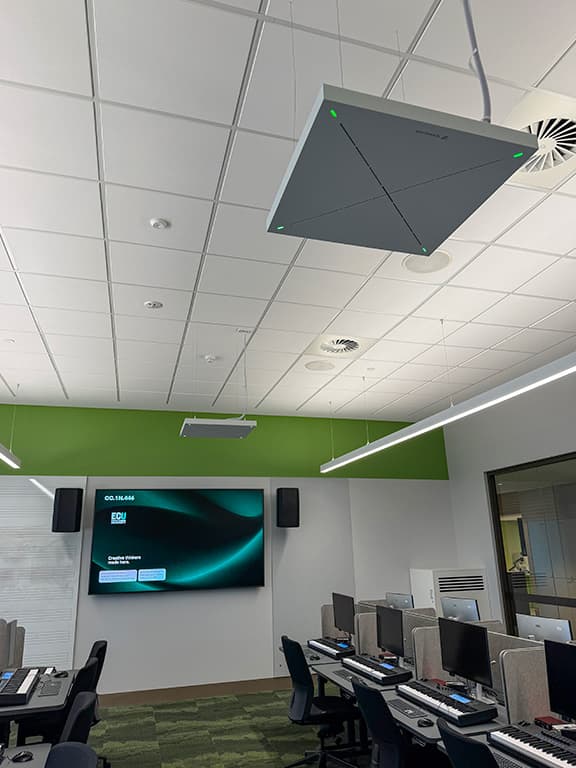
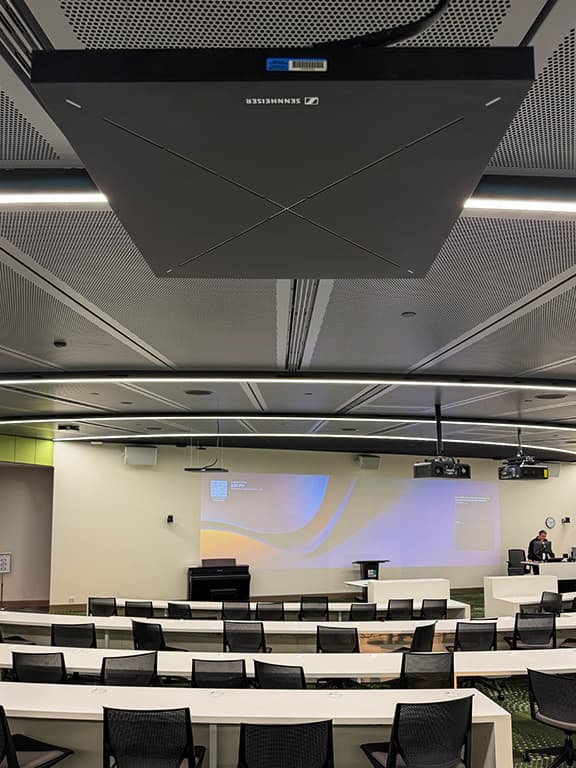
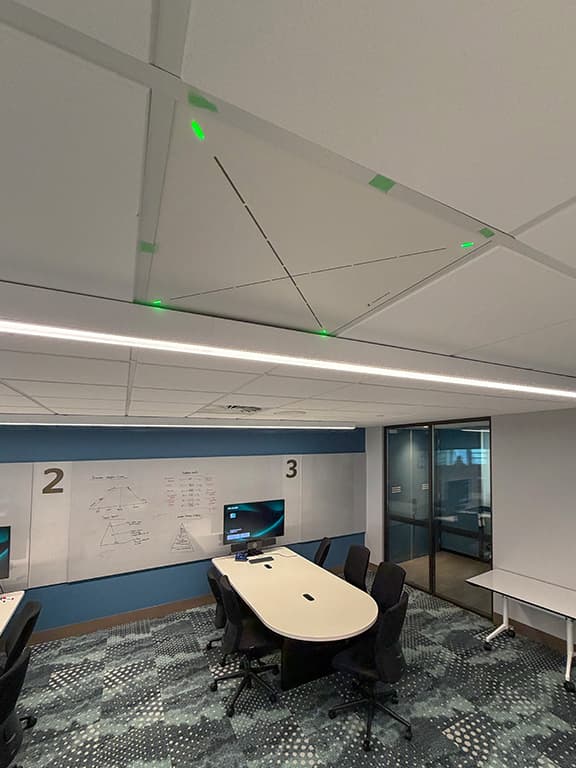
Some 120 Sennheiser TCC 2 and TCC M ceiling mic arrays provide audio for the far end and for voice lift. EW-DX wireless systems are also available for roving lecturers. The Control Cockpit software proved the difference for Vizcom, allowing fast and efficient commissioning.
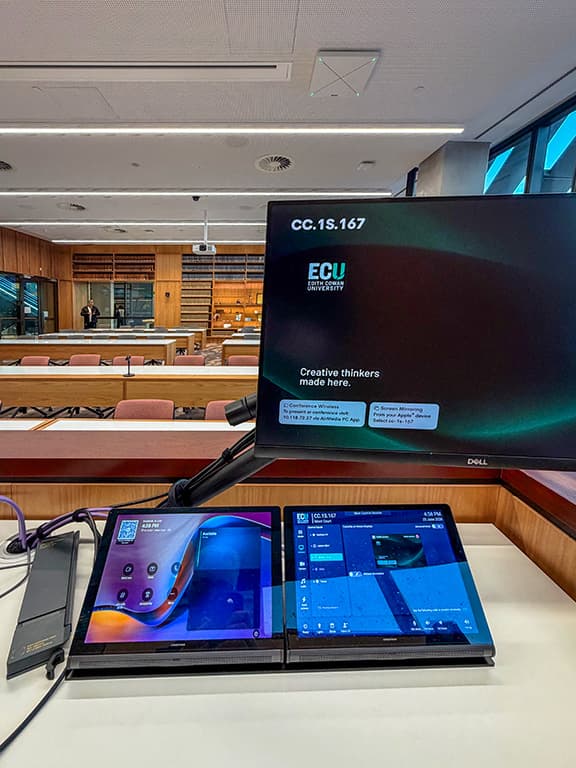
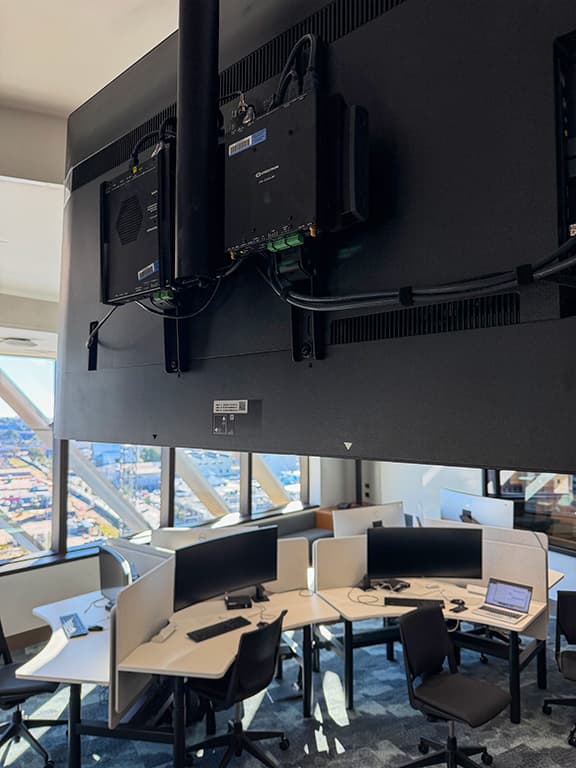
The Crestron UI remains consistent regardless of the room configuration. A second touchpanel handles MTR duties – one of the decisions made during the sandboxing stage. Crestron DM-NVX underpins a massive IP video network.
MONITORING, SUPPORT & SUSTAINABILITY
Innomate provides a single pane of glass for monitoring, integrated with ServiceNow ticketing. Q-SYS Reflect adds deeper visibility. Vizcom’s on-site SLA ensures rapid response.
Chris Cooper measures success by low ticket volumes post-occupancy, despite a tight handover window: “The number of tickets has been extremely low, diminishing over time.”
David Jones credits early factory acceptance testing, templated designs, and strong vendor partnerships (Crestron, Q-SYS/TAG, Sennheiser, Lightware): “We can count on them; we can trust them.”
The networked, distributed design supports ongoing evolution – new VLANs per room type isolate AV traffic, while show relay NVX streams link performance and teaching spaces.
A TEMPLATE FOR ECU’S FUTURE
This city campus rollout has become the standard for ECU’s other sites. It balances cutting-edge capability with operational simplicity, prioritising teaching and learning over technology for its own sake.
Chris Cooper: “This project has been incredibly successful and a testament to Multiplex and the teams we’ve had through – everyone has brought their A game.”
David Jones concurs: “Our team – and at its peak we had 55 or so on site and others back at the office supporting them – has grown closer to the other services and trades. It’s not been a war of attrition, quite the opposite.”
The ECU city campus demonstrates how thoughtful integration – rooted in extensive piloting, vendor collaboration, and a clear understanding of teaching needs – creates learning spaces that are robust, flexible, and genuinely supportive of modern hybrid education.
Vizcom Technologies: vizcom.com.au
UT Consulting: utconsulting.com.au
Edith Cowan University: ecu.edu.au
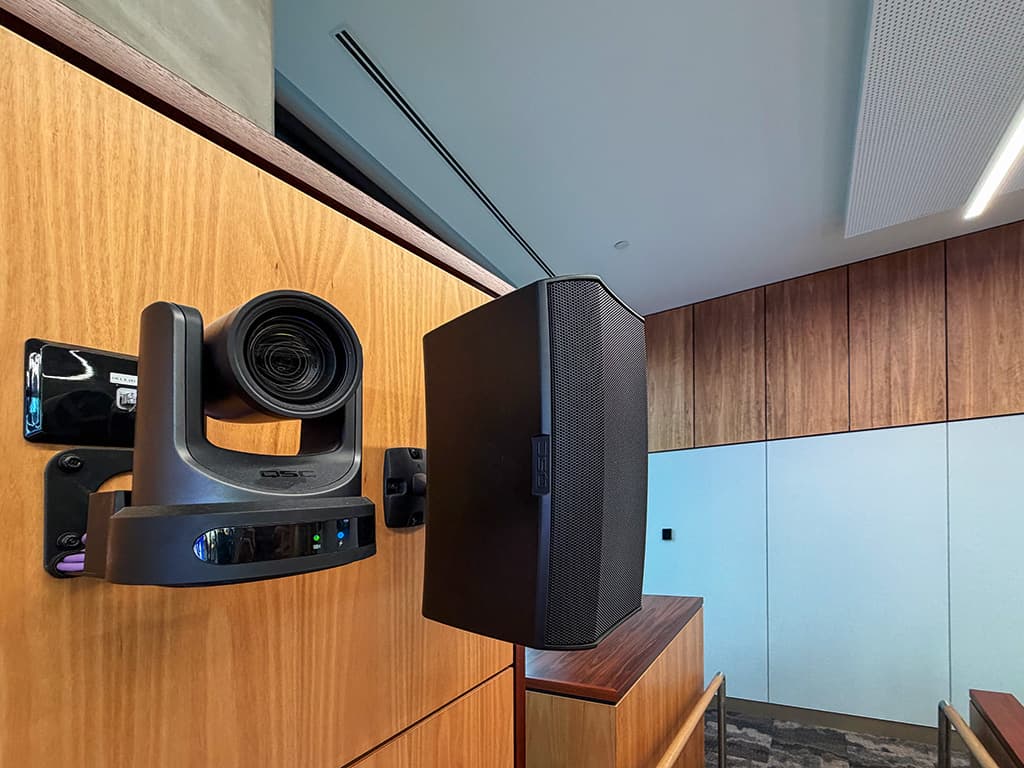
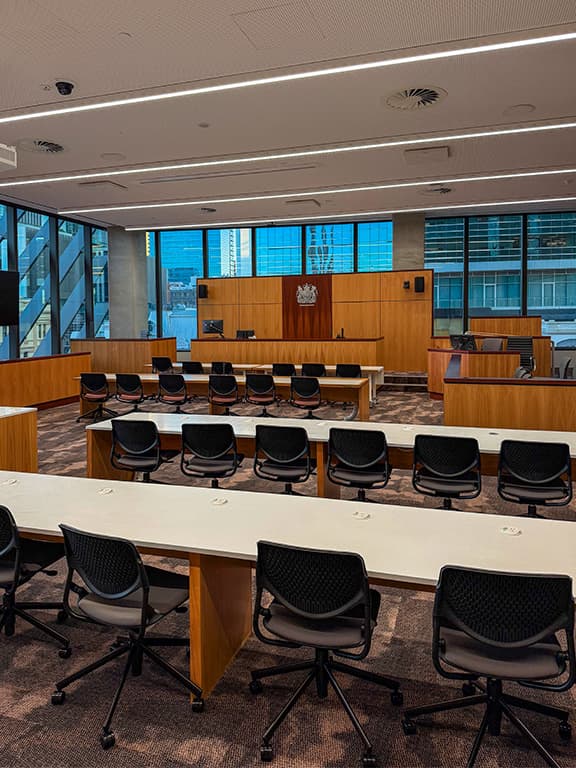
The city campus now accommodates ECU’s Law Faculty. The moot court is an AV powerhouse.









RESPONSES